UDISE+ Guide
12-min read
For Teachers, Principals & DEO Officers
UDISE+ Login 2026-27: The Complete Guide for All Modules, Data Entry & APAAR ID
Every school year, thousands of teachers, headmasters, and education officers across India face the same bottleneck — a portal that controls funding, staffing, and infrastructure approvals for over 1.5 million schools. UDISE+ Login 2026-27 is not just a routine annual task. It is, effectively, the gateway to your school’s official existence in government records.
Consequently, a missed deadline or a login error at the wrong moment can freeze data certification and delay resource allocation. This guide eliminates that risk. Whether you manage a single-room school in rural Bihar or a 2,000-student institution in Maharashtra, the steps here apply — with state-specific notes where the process diverges.
2026-27 Quick Reference
The UDISE+ 2026-27 data entry cycle carries one critical new requirement — APAAR ID generation for every enrolled student. Schools must complete this through SDMS before the data entry deadline. Without full APAAR ID mapping, data certification may be blocked.
What Is UDISE+ and Why It Matters in 2026-27
UDISE+ — the Unified District Information System for Education Plus — is the Government of India’s centralized real-time platform for school education data. Operated under the Ministry of Education, it captures every critical data point across government, aided, and private schools.
- Central fund allocation — PM POSHAN, Samagra Shiksha, and other schemes route money through UDISE+ enrollment data
- Teacher sanctioning — state governments use PTR (Pupil-Teacher Ratio) from UDISE+ to approve or reject new teacher posts
- Infrastructure grants — classroom-to-student ratios on the portal directly influence construction grant eligibility
- Policy benchmarking — dropout rate, GER, and retention data feed national NEP 2020 progress reports
Understanding the Four UDISE+ Modules Before You Login
Before jumping straight into login steps, understanding which module you need saves considerable time. Furthermore, each module uses separate credentials in several states — making wrong selection the most common source of invalid credentials errors.
| Module | Who Uses It | What You Enter | Login URL |
|---|---|---|---|
| School Profile & Facilities | Headmaster / Principal | Infrastructure, classrooms, toilets, ICT labs | /udiseprofile/ |
| SDMS (Student Module) | Data-entry operator | Student enrollment, APAAR ID, admissions, progression | sdms.udiseplus.gov.in |
| Teacher Module | School / BEO officer | Teacher profiles, qualifications, Digital Audit | /teachermodule/ |
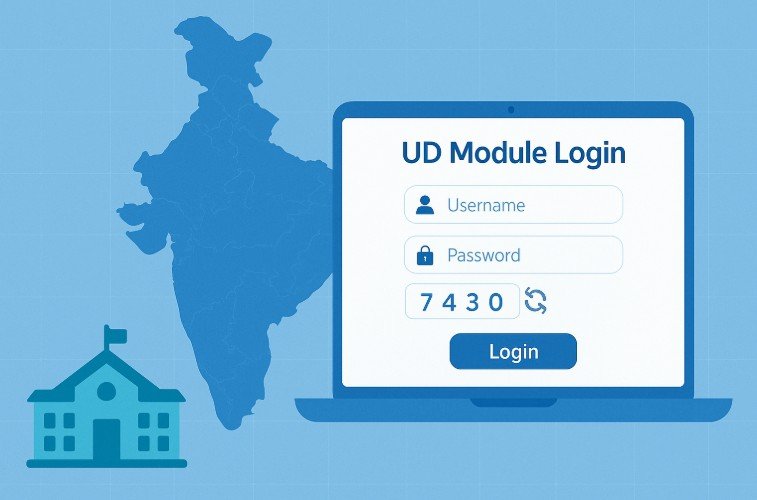
| UD Module | DEO / State officers | District-level review, validation, data locking | /uddashboard/ |
UDISE+ Login 2026-27: Step-by-Step for All Modules
The process below covers the standard all-modules login flow. Therefore, follow these steps sequentially for the cleanest experience — particularly on mobile browsers, where the portal renders differently than on desktop.
- Open udiseplus.gov.in in Chrome or Firefox — avoid older browsers, which produce rendering errors on the 2026 portal interface.
- Click Login for All Modules — this button appears prominently on the homepage. Do not use individual module links from older bookmarks.
- Select your State or Union Territory — the portal routes you to a state-specific server. Wrong state selection causes invalid credential errors even with correct login details.
- Choose your Module — select from School Profile, SDMS, Teacher Module, or UD Module based on your role.
- Enter your 11-digit UDISE Code as Username — for SDMS, state-specific credentials apply. If you don’t know your code, use the UDISE Code Finder tool.
- Enter Password and Captcha — passwords come from your Block MIS Coordinator. The captcha is case-sensitive.
- Click Login and verify your dashboard — confirm your school name and UDISE code appear at the top.
APAAR ID in UDISE+ 2026-27: What Schools Must Know
APAAR — Automated Permanent Academic Account Registry — is the most significant change to the UDISE+ ecosystem in recent years. Essentially, it functions as a lifelong academic identity for every Indian student, linked to Aadhaar and valid across all educational institutions.
- From 2026-27, the Ministry of Education mandates APAAR ID for every enrolled student, from Class 1 through Class 12
- Schools without full APAAR ID mapping risk blocked data certification — which directly impacts annual grant releases
- Additionally, APAAR IDs enable seamless student record transfer when students move schools or states
- Furthermore, APAAR data feeds into the Academic Bank of Credits (ABC) system for higher education transitions
Common UDISE+ Login Errors and Fixes
| Error | Cause | Fix |
|---|---|---|
| Invalid Credentials | Wrong state selected | Go back, re-select correct state |
| Captcha Error | Case mismatch or expired | Refresh captcha; retype carefully |
| Portal Not Loading | Peak-season server load | Try before 9 AM or after 8 PM |
| Password Expired | Annual reset cycle | Contact Block MIS Coordinator |
Free UDISE+ Tools to Speed Up Your Work
UDISE Code Finder
Search any school by name, state, district, block, or PIN code. No login required.
School Data Report Generator
Enter any UDISE code and generate a detailed data summary as a shareable report card.
UDISE+ 2026-27 Data Entry Deadlines
| Phase | Period | Action |
|---|---|---|
| Student Progression | June–July 2026 | Finalize all 2025-26 outcomes in SDMS first |
| New Admissions | July–August 2026 | Enter new students with APAAR ID generation |
| School Profile & Teacher Module | August–September 2026 | Update infrastructure, teacher records |
| Reference Date Freeze | 30 September 2026 | Hard deadline — all data must reflect this date |
Disclaimer: udise.net is not affiliated with the Government of India or the Ministry of Education. This is an independent guide platform. For official announcements, visit udiseplus.gov.in.